https://console.cloud.google.com/apis/credentials/oauthclient/
Google 클라우드 플랫폼
로그인 Google 클라우드 플랫폼으로 이동
accounts.google.com
구글 클라우드 플랫폼의 설정이 모두 끝난 가정 하에 postman 내용을 정리했습니다.
Google API 테스트
이번엔 구글 API를 통해 사용자의 정보를 가져오는 원리를 알아보자.
1. Aceess Token 발급받기
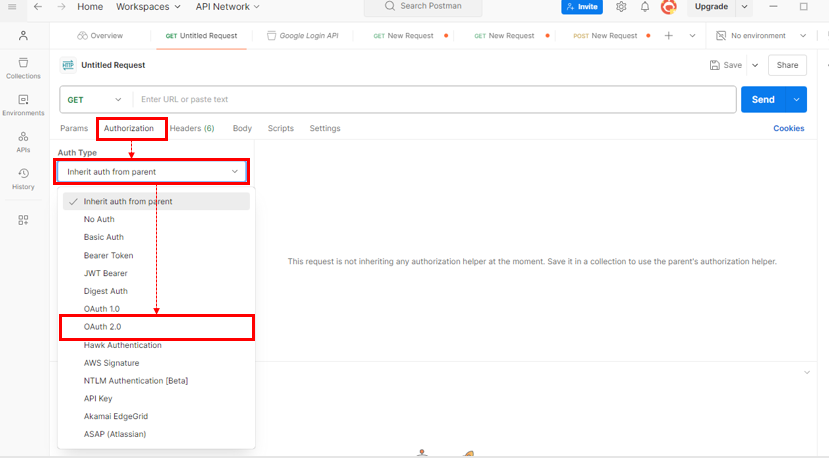
- postman에 접속
- Get 요청으로 설정

- Authoriaztion에 들어간다.
- type을 OAuth 2.0으로 지정한다.
Use Token Type은 Available Token 으로, Header Prefix는 Bearer로 설정.
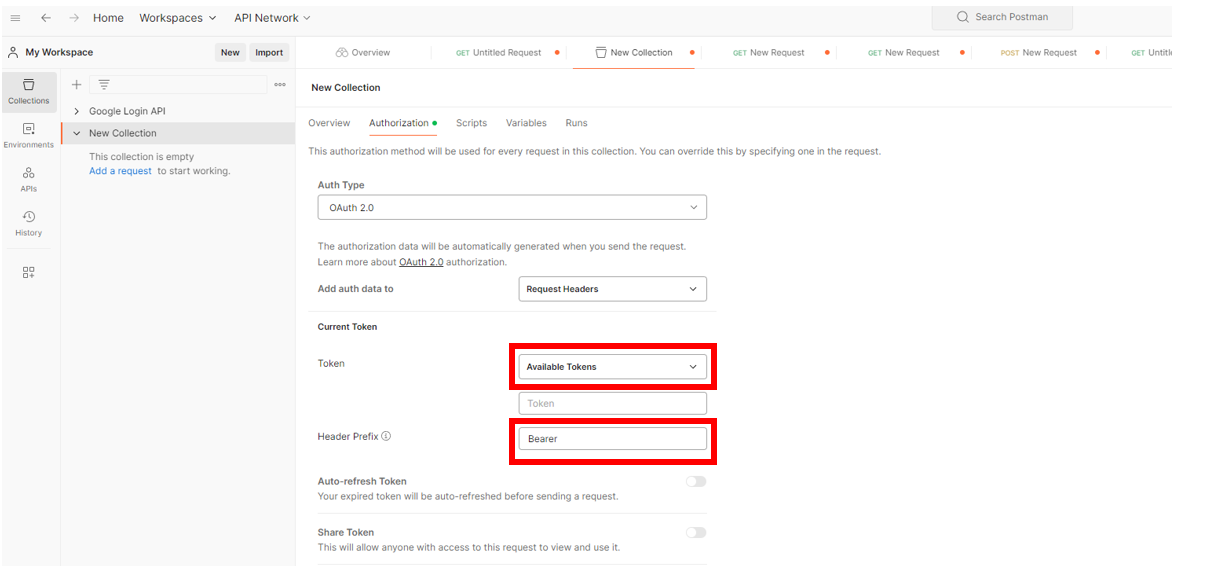
Use Token Type - Available token
- 토큰의 설정 정보를 지정한다.

- Token Name : 원하는 이름으로 (ex. googleLoin_token_test)
- Grant Type : Authorization Code
- Callback URL : Google Cloud Console에서 지정해준 Redirect URI (ex. http://localhost:9090/login/oauth2/code/google)
- Auth URL : https://accounts.google.com/o/oauth2/auth
- Access Token URL : https://oauth2.googleapis.com/token
로그인 - Google 계정
accounts.google.com

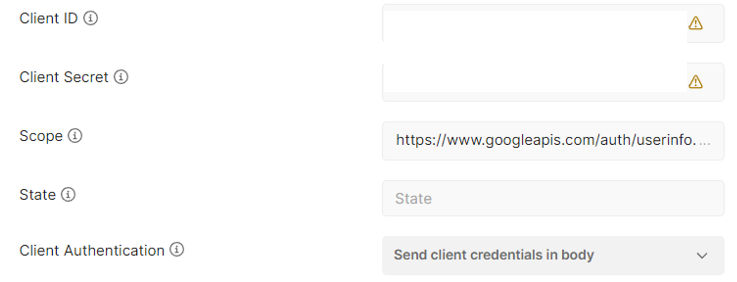
- Client 정보와 Scope 정보를 입력.
- Client ID : Google Cloud Console에서 제공 받은 Client ID
- Client Secret : Google Cloud Console에서 제공 받은 Client Secret
- Scope : https://www.googleapis.com/auth/userinfo.profile https://www.googleapis.com/auth/userinfo.email을 입력. 두 URI는 띄어쓰기로 구분해야 하며, 각각은 이메일과 프로필에 대한 정보를 나타냄.
- Client Authentication : Send client credentials in body.
- 스크롤을 내려 Get New Access Token을 클릭.

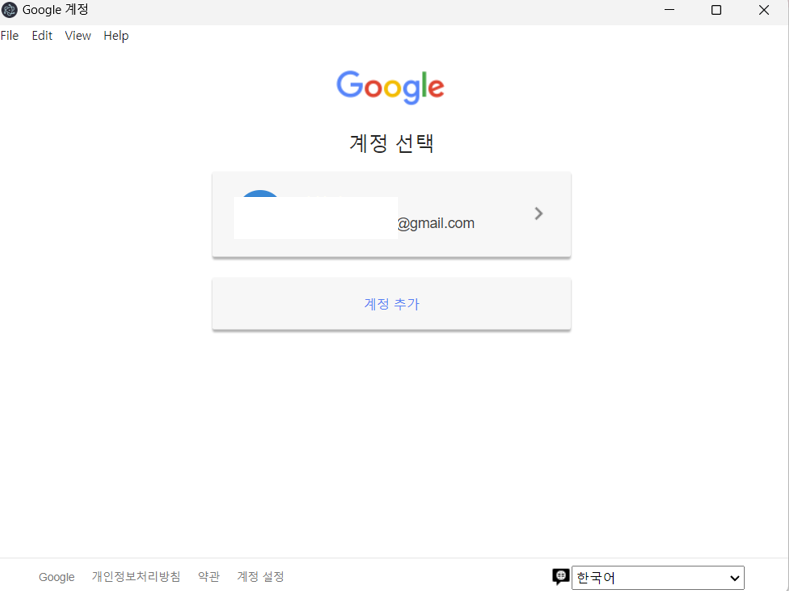
- 아래와 같은 창이 뜨면 본인의 구글 계정으로 로그인.
'프로그래밍' 카테고리의 다른 글
| postman 무한로딩 (0) | 2024.11.12 |
|---|
